整合包安装教程
How to install the modpack using Prism Launcher
Mac 用户注意 / Mac Users
macOS 会自动解压下载的 .zip 文件,导致整合包无法导入。请先关闭自动解压功能:
macOS automatically unzips downloaded .zip files, which breaks the modpack import. Disable this first:
- 1.打开 Safari,点击菜单栏
Safari→Settings...(设置) - 2.切换到
General(通用) 标签页 - 3.取消勾选
Open "safe" files after downloading(下载后打开"安全的"文件)
完成安装后可以重新开启此选项。/ You can re-enable this after installing.
准备工作 / Prerequisites
你需要先安装 Prism Launcher,一个免费开源的 Minecraft 启动器。
You need Prism Launcher, a free and open-source Minecraft launcher.
Download Prism LauncherStep 1下载整合包 / Download the Modpack
Step 2创建实例 / Add Instance
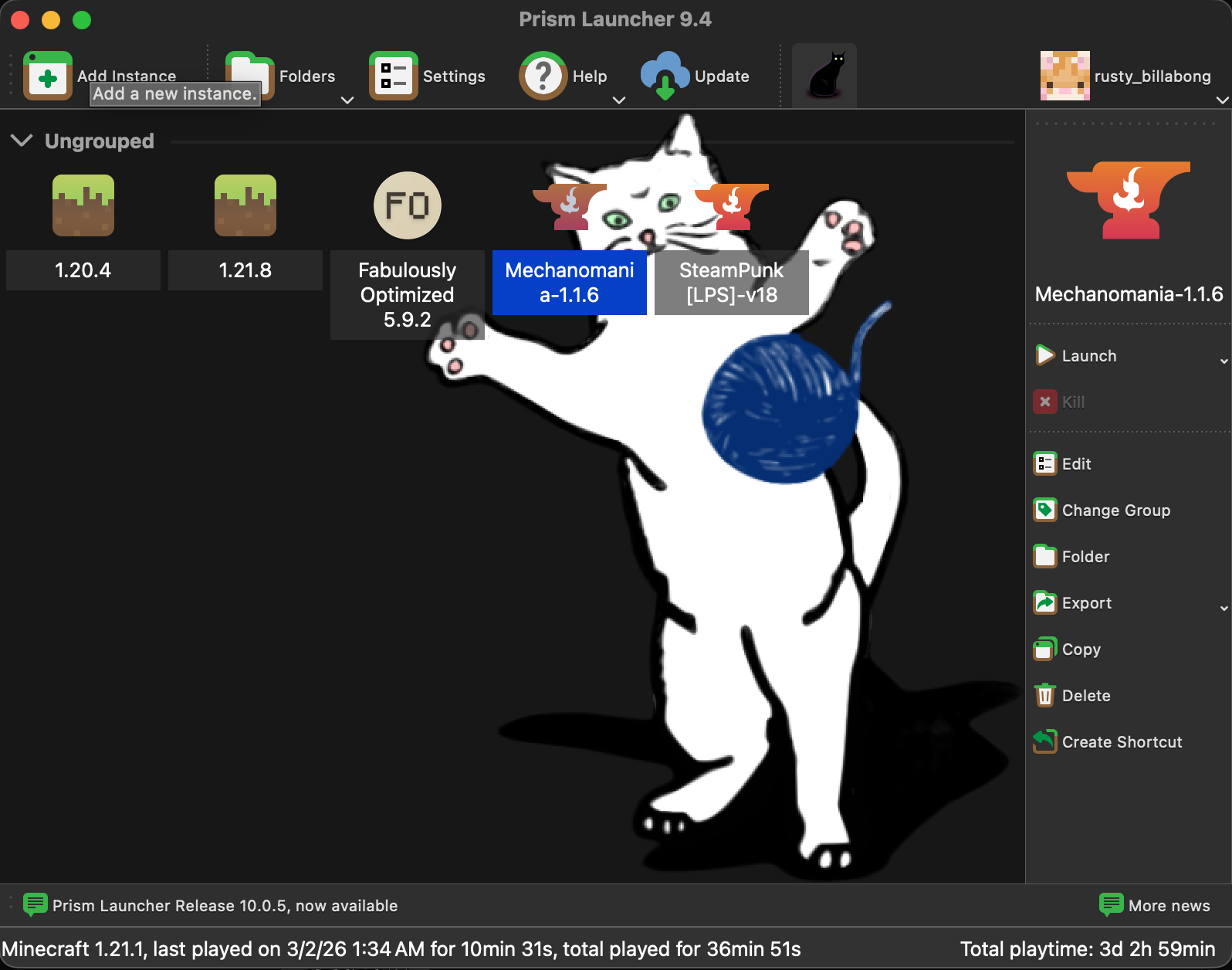
打开 Prism Launcher,点击左上角的 Add Instance 按钮。
Open Prism Launcher and click the Add Instance button in the top-left corner.
Step 3导入整合包 / Import the Modpack
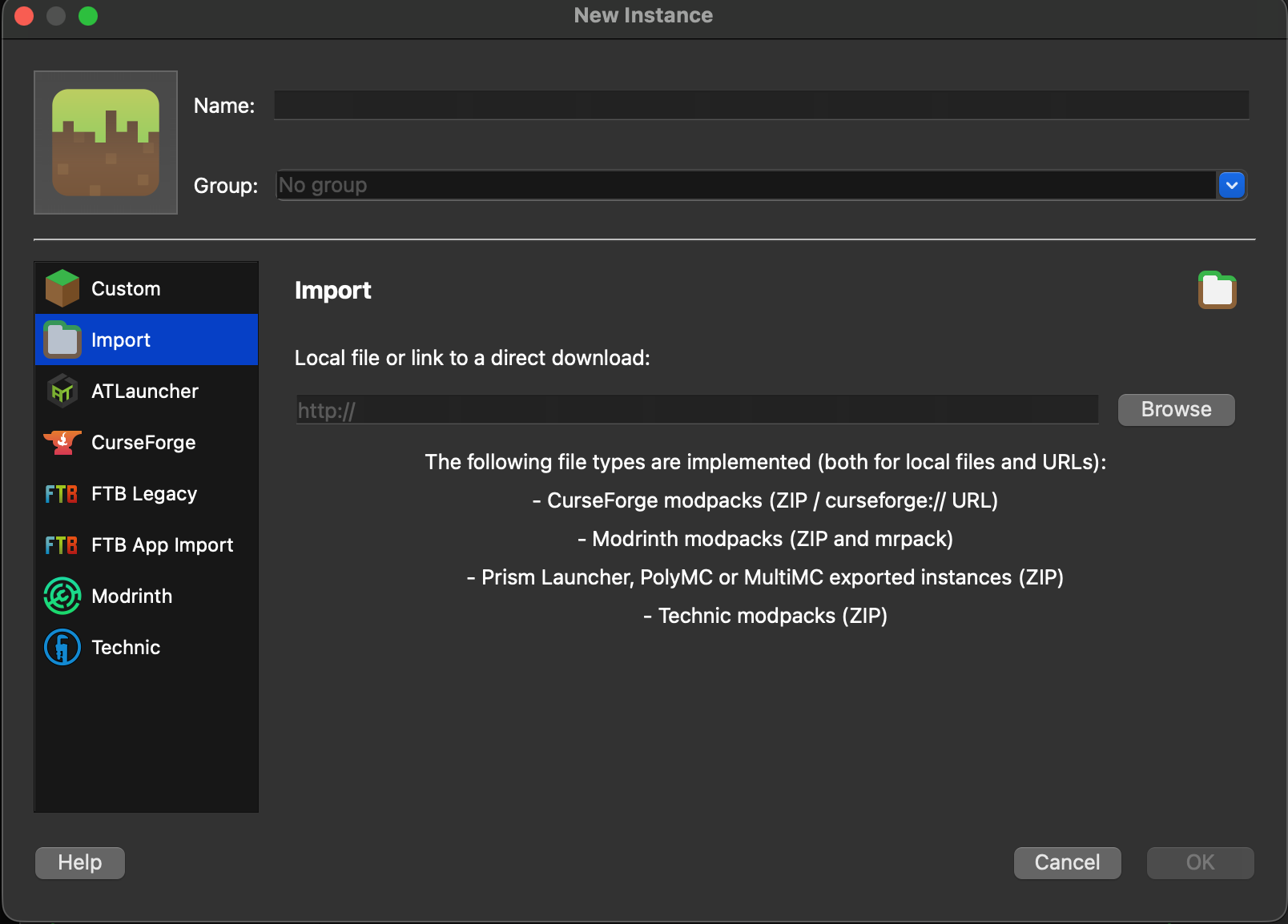
- 1.在左侧选择
Import选项卡 - 2.点击右侧的
Browse按钮,在文件管理器中选择刚才下载的 .zip 文件 - 3.点击
OK开始安装
Select "Import" on the left sidebar, click "Browse" to find the downloaded .zip file, then click "OK" to install.
Step 4启动游戏 / Launch
等待安装完成后,双击新出现的整合包实例即可启动游戏。首次启动可能需要下载额外的文件,请耐心等待。
Once installation finishes, double-click the new instance to launch. The first launch may take a while to download additional files.